
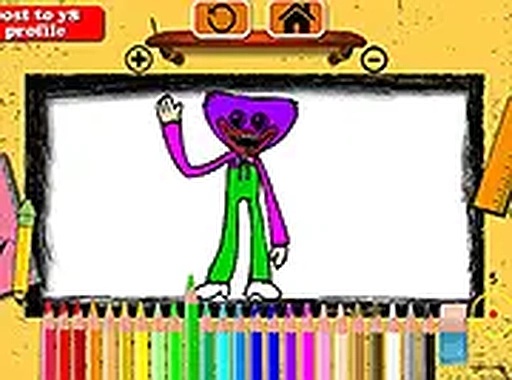
Friendly Character Color Art Studio
Trusted instant play — no download required.
Reviews
This browser-based coloring activity stands out for its simplicity and focus on relaxation. The friendly character outlines are appealing without being overstimulating, and the intuitive controls mean even very young children can use it independently. The ability to adjust brush size and undo mistakes reduces frustration, while the screenshot feature adds a nice way to preserve and share finished pieces. It is an excellent tool for developing fine motor skills and encouraging creative expression in a calm, screen-based environment.
About this game
Creative Play Without Pressure
This browser-based activity focuses on providing a relaxed environment for artistic expression. Players start by choosing from several friendly character outlines displayed on the screen. A color palette at the bottom offers a range of hues, from bright primaries to soft pastels. Using a mouse or touch input, users tap or click on areas of the picture to fill them with the selected color. There are no timers, scores, or objectives beyond completing a picture that feels satisfying. This design makes the experience suitable for young children who are still developing fine motor control, as well as older users seeking a brief moment of calm.
Simple Controls for All Ages
The interface is built around straightforward interactions. After selecting a character image, players choose a color from the palette and apply it by clicking or tapping on the desired section. A brush size slider allows for quick coverage of large areas or careful detailing in smaller spaces. An undo button lets users reverse the last action if they change their mind, and a reset option clears the entire canvas to start fresh. These controls are clearly labeled and respond instantly, reducing frustration for users who may not be familiar with digital tools.
Accessible Across Devices
The activity runs entirely within a web browser, meaning no software downloads or account registrations are required. It works on both mobile phones and desktop computers, adapting to different screen sizes automatically. A full-screen mode is available to minimize distractions and create a more focused workspace. Because everything is browser-based, players can access the activity from any device with an internet connection, whether at home, in a classroom, or on the go. This cross-platform compatibility ensures that the experience remains consistent regardless of the device used.
Sharing and Celebrating Artwork
Once a picture is finished, players can use a built-in screenshot tool to capture their creation. This image can then be saved to the device or shared with family and friends through standard sharing options. The ability to preserve and share artwork adds a rewarding dimension to the activity, encouraging children to take pride in their work and receive positive feedback from others. It also provides a simple way for parents or teachers to track a child's progress and creativity over time.




Player comments
Sign in to leave a review
You must be logged in before posting a rating or comment.
No account? Create one
No comments yet. Be the first to comment!