ShapeMaze Platformer Arcade Game
Reviews
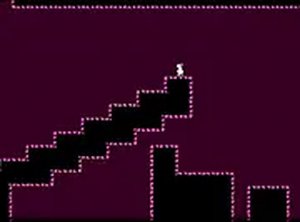
ShapeMaze stands out with its shape-shifting levels that change every time you play. The pixel hero controls are responsive, and the traps add a good challenge without being unfair. Rebuilding levels after completion gives the game lasting appeal. It is a solid choice for platformer fans looking for a free browser game that rewards practice and adaptability.
Description
Game Introduction
ShapeMaze is a platformer arcade game where you control a pixel hero through levels filled with platforms and obstacles that constantly change shape. Each stage presents a new layout, requiring quick adaptation and careful planning. The main objective is to reach the finish line while avoiding traps that shift position. After completing a level, you can rebuild it to create a new path, adding replay value. Designed for desktop play, ShapeMaze runs directly in your browser with no downloads or sign-ups. Full screen mode is available for a more immersive experience. This game is ideal for players who enjoy skill-based challenges and precision jumping.
How to Play
To play ShapeMaze, use your keyboard or mouse on a desktop computer. Control the pixel hero by jumping onto platforms and dodging traps that change shape. Each level demands quick reflexes and smart decisions to avoid obstacles and reach the finish line. Once you complete a level, you have the option to rebuild it for a new configuration. Simply open your browser, load the game, and start playing. No downloads or registration are required. For a better view, switch to full screen mode. Practice regularly to master the shifting shapes and overcome all platformer challenges.
Game Features
ShapeMaze features shape-shifting environments that keep each level fresh. You control a pixel hero with precise movements. Traps require careful navigation. Level rebuilding allows you to change the layout after completion. The game is free to play in your browser without any installation. Full screen mode enhances the visual experience. As an arcade platformer, it focuses on skill-based gameplay with progressively challenging levels.
Tips for Success
Focus on timing your jumps carefully to avoid moving traps. Study each level's pattern before making your move. Use the rebuild feature to practice difficult sections. Stay patient and learn from each attempt. Regular practice will help you adapt to the shifting shapes more quickly. Keep an eye on the entire screen to anticipate changes in platform positions.
Compatibility
Faq
Is ShapeMaze free to play?
Can I play ShapeMaze on mobile devices?
Do I need to create an account to save my progress?
How many levels does ShapeMaze have?
Is there a time limit for completing levels?
Can I replay levels after completing them?
You May Also Like

Kogama Christmas Parkour 3D Arcade
Festive and easy to play. Bright levels and simple controls make it perfect for family fun.
DPS Idle RPG Game
Simple click mechanics with deep card upgrades. Progress continues even when you are away.

Cats Vs Dogs Arcade Game
Simple physics fun with a cute rivalry. Great for quick breaks and family play.

Johnny Jump Arcade Game
Simple one-tap controls and smooth gameplay. Great for quick breaks and endless high-score chasing.
Computer Parkour Arcade
Clean design and responsive controls. A solid parkour game for quick breaks.