
Urban Velocity Circuit
Trusted instant play — no download required.
Reviews
Urban Velocity Circuit delivers a solid arcade racing experience without any installation hassle. The multiple modes give players options, from chasing personal records in time trial to challenging a friend on the same keyboard. The controls feel tight, and the 3D city tracks are clear and easy to read. While it lacks a career mode or online play, its simplicity and split-screen feature make it a good choice for casual gaming sessions.
About this game
Track Design & Atmosphere
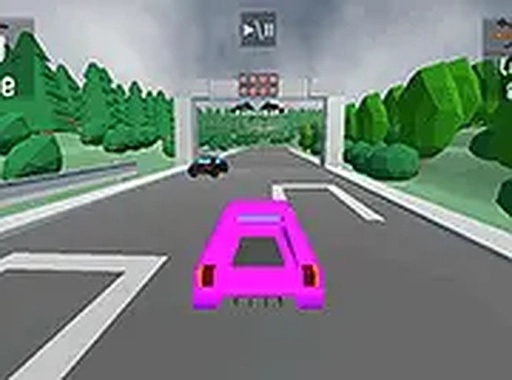
Urban Velocity Circuit places players on detailed city streets rendered in a bright 3D style. Each circuit weaves through urban environments with distinct layouts that require attention to corner sequences and straight sections. The visual presentation keeps the focus on the road ahead, with clear signage and track boundaries that help players navigate. The city setting provides a familiar backdrop that makes the racing feel immediate and grounded.
Vehicle Handling & Control
The game offers a selection of cars, each with its own feel on the asphalt. Controls are responsive, allowing for precise steering and braking. Mastering the balance between speed and control is essential, especially when taking tight turns. The game encourages smooth inputs rather than aggressive driving, rewarding players who maintain momentum through curves. Drifting can be used to rotate the car through sharper bends without losing too much speed.
Competition Modes
Several ways to play keep the experience fresh. Standard races pit the player against computer-controlled opponents, with the goal of crossing the finish line first. Time trial mode strips away opponents and focuses on achieving the fastest lap possible around a given track. Score attack mode shifts the objective to accumulating points through sustained speed and performing maneuvers. A local split-screen option allows two players to race head-to-head on the same computer, adding a social dimension to the competition.
Mastering the Circuits
Success in Urban Velocity Circuit comes from learning the nuances of each track. Knowing where to brake, when to accelerate, and which line offers the best exit speed can make a significant difference in lap times. The game provides a full-screen mode for a more immersive view, which can help players spot upcoming turns earlier. Consistent practice across the different modes builds familiarity and improves overall driving skill.







Player comments
Sign in to leave a review
You must be logged in before posting a rating or comment.
No account? Create one
No comments yet. Be the first to comment!