
Block Squad Team Challenge
Trusted instant play — no download required.
Reviews
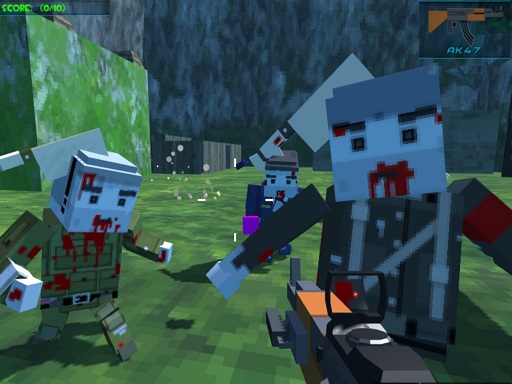
Block Squad Team Challenge offers a vibrant, blocky world where teamwork and strategy shine. The campaign missions provide structured progression, while diverse maps keep gameplay fresh. The real-time chat feature enhances coordination, making it ideal for playing with friends. Its family-friendly design ensures a safe environment for players of all ages.
About this game
Game Introduction
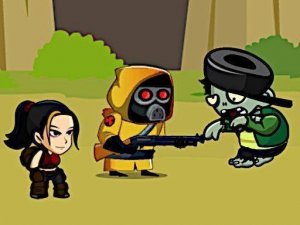
Block Squad Team Challenge is a lively multiplayer action game set in vibrant blocky environments. Players take on campaign mode with many missions, each offering unique difficulty levels and diverse maps. The core objective is to work with friends from around the world to complete objectives in a safe, family-friendly setting. This game combines strategy, teamwork, and action in a pixelated world, making it perfect for all ages. The blocky art style and lively jungle map create an engaging atmosphere for endless fun.
How to Play
Start by selecting a campaign mission or game mode from the main menu. Use your keyboard to move and interact in pixelated blocky landscapes. Press Enter to open the chat box, type your message, and hit Enter again to send it to other players. Work with friends to complete objectives, survive waves of challenges, and unlock new missions. Each map has its own theme and difficulty, keeping gameplay fresh and exciting. Communication and coordination with teammates are key to success.
Game Features
Multiplayer chat allows real-time communication with other players. Diverse maps with unique themes and difficulty levels provide variety. Campaign missions offer structured progression with increasing challenges. Blocky pixel graphics create a charming and nostalgic visual style. The game supports online multiplayer, enabling you to play with friends from around the world. Family-friendly content ensures a safe environment for all ages.
Tips for Success
Communicate with your team using the chat feature to coordinate strategies. Learn the layout of each map to anticipate movements and find advantageous positions. Practice aiming and movement to improve your reflexes and accuracy. Work together with teammates to cover different areas and support each other during challenges. Take advantage of the campaign missions to gradually improve your skills and unlock new challenges. Stay aware of your surroundings and adapt to different difficulty levels.





Player comments
Sign in to leave a review
You must be logged in before posting a rating or comment.
No account? Create one
No comments yet. Be the first to comment!