
Space Jump Skill Game
Trusted instant play — no download required.
Reviews
Space Jump Skill Game is a clean, family-friendly arcade game that focuses on one core skill: timing. The one-tap controls are intuitive, and the colorful space theme is appealing. It is perfect for quick breaks or longer practice sessions. The increasing difficulty keeps it engaging without being frustrating.
About this game
Game Introduction
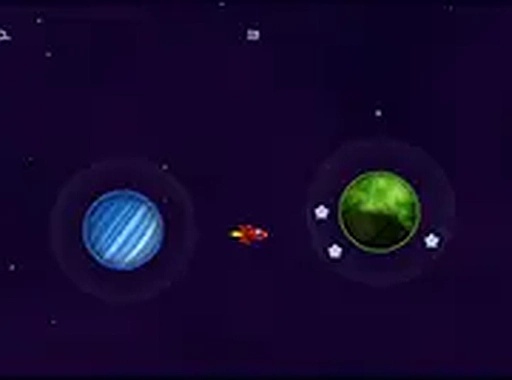
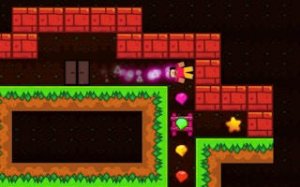
Space Jump Skill Game is a free online arcade game focused on timing and precision. You control a small red spaceship traveling through a colorful space setting. Your goal is to move from one planet to the next by jumping at the right moment. Each successful jump adds to your score. The game continues until you mistime a jump. The simple visuals and clear planet targets make it easy to pick up and play. No downloads are needed, and the game works on any device with a browser. As you progress, the challenge increases, requiring faster reactions and sharper focus. This game is suitable for all ages and fits well into short play sessions or longer periods of practice.
How to Play
Players watch their spaceship and the next planet. When the ship points toward the planet, a single tap or click makes the jump happen instantly. After each move, a new planet appears. The game ends if you tap or click at the wrong time. There are no complex menus or controls to learn. Your score increases with each successful jump. To start a new game, simply refresh the page. The controls are consistent, allowing you to focus on improving your timing.
Game Features
Space Jump Skill Game features one-tap controls that work on both mobile and desktop devices. The space theme is colorful and family-friendly. No download or installation is required; the game runs directly in your browser. Each session is short, making it easy to play during a break. The score resets each time, encouraging you to try again and beat your previous best. The game is designed to be accessible to all ages.
Tips for Success
Practice timing your taps or clicks precisely when your ship aligns with the target planet. Start by playing slowly to understand the rhythm, then gradually increase your speed. Stay focused on the ship and planet positions, as distractions can lead to mistimed jumps. Regular practice will help sharpen your reaction time and improve your score. Patience is key, as each attempt builds your skill.



Player comments
Sign in to leave a review
You must be logged in before posting a rating or comment.
No account? Create one
No comments yet. Be the first to comment!