
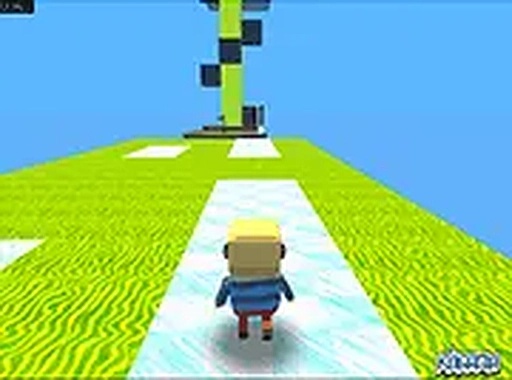
Parkour Computer Challenge
Trusted instant play — no download required.
Reviews
Parkour Computer Challenge offers a satisfying obstacle course experience with its two difficulty modes and helpful checkpoint system. The computer-themed graphics are visually appealing, and the controls are simple to learn. Easy mode is great for beginners, while hard mode provides a real test of timing and patience. A solid choice for anyone looking for a free, browser-based skill game.
About this game
Game Introduction
Parkour Computer Challenge places you inside a bright, computer-inspired environment filled with platforms, moving obstacles, and tricky traps. Each level is a new course where your goal is to reach the flag at the end. The game is designed for quick sessions and longer play alike, with no downloads required. Its bright visuals and responsive controls make it accessible to players of all ages. Whether you are new to parkour games or a veteran, the two difficulty modes let you choose your pace. Easy mode offers a relaxed introduction, while hard mode demands precise timing and patience. The checkpoint system ensures you never lose all progress, encouraging repeated attempts. This game is a solid choice for anyone looking for a clean, engaging obstacle course experience.
How to Play
Players typically use keyboard controls to move their character left, right, forward, and backward, and a separate key to jump. Timing jumps carefully is essential to avoid falling off platforms or hitting traps. The game saves progress at each checkpoint touched, so if you fall, you restart from the last checkpoint. Choose easy mode for a simpler course with fewer hazards, or hard mode for a more demanding route. You can play alone or share the link with friends to race to the finish. The objective is straightforward: reach the end of the course and collect the flag to complete the level. Practice each section to improve your timing and discover the best path.
Game Features
Fun parkour challenges that test your timing and coordination. Two difficulty modes accommodate beginners and experienced players. A checkpoint system reduces frustration by saving your progress. Smooth browser-based play with no installation required. Bright, computer-themed graphics that are easy on the eyes. Simple keyboard controls that are quick to learn.
Tips for Success
Practice each level repeatedly to learn the timing of moving obstacles and the placement of traps. Use the checkpoint system to your advantage by experimenting with different routes without fear of losing all progress. In hard mode, patience is key—rushing often leads to mistakes. Watch the patterns of moving platforms before committing to a jump. If you get stuck, try watching how other players navigate the course by sharing the link and observing their strategies.



Player comments
Sign in to leave a review
You must be logged in before posting a rating or comment.
No account? Create one
No comments yet. Be the first to comment!