
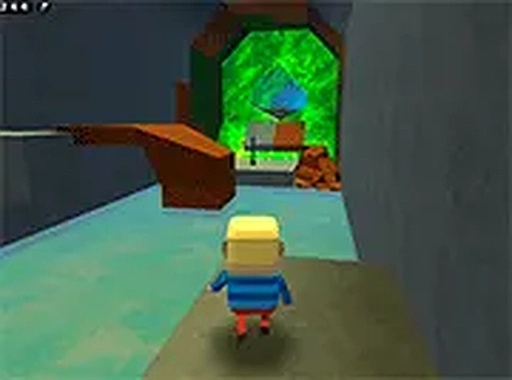
Kogama Giant Parkour Arcade
Trusted instant play — no download required.
Reviews
Kogama Giant Parkour Arcade offers a cheerful and safe parkour experience for kids and families. The colorful oversized obstacles and coin collection mechanics are engaging without being violent. Controls are easy to learn, making it accessible for beginners. The game runs smoothly in a browser with no downloads needed. It is a solid choice for casual players looking for a lighthearted challenge.
About this game
Game Introduction
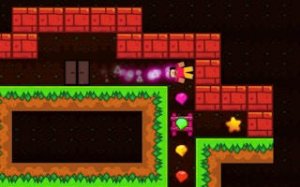
Kogama Giant Parkour Arcade is a lighthearted obstacle course game where players navigate a colorful world filled with oversized platforms and barriers. The core objective is to jump from one platform to the next, avoid tricky obstacles, and gather shiny coins scattered throughout each level. This free online game is designed for kids and families who enjoy fast-paced challenges without any violent or inappropriate content. The cheerful theme and simple design make it accessible to players of all ages. Each course presents new surprises that test timing and coordination. Whether you are new to parkour games or have experience, Kogama Giant Parkour Arcade offers endless fun in a safe, family-friendly environment. Play directly in your browser without any downloads or installations.
How to Play
Players typically use keyboard controls to move their character and jump between platforms. The goal is to reach the end of each course while collecting as many coins as possible. Timing is important because some platforms move or have barriers that require careful jumps. The game is designed for desktop computers and works best with a keyboard or mouse. Players can also switch to full screen mode for a more immersive view. Controls are simple and easy to learn, making it suitable for beginners. Focus on coordinating your jumps to avoid falling off platforms and to progress through the course.
Game Features
Kogama Giant Parkour Arcade is free to play and family-friendly. It runs directly in a web browser with no downloads or installations required. The game supports full screen mode for a better experience. Controls are simple, using only arrow keys or similar inputs. The bright, non-violent theme is suitable for all ages. Each course includes coins to collect and obstacles to overcome, providing a fun challenge for players. The game may include multiple levels or courses that increase in difficulty as you progress.
Tips for Success
Practice your jump timing to land precisely on narrow platforms. Collect as many coins as possible to maximize your score. Stay patient and learn from each fall to improve your route through the course. Use full screen mode to reduce distractions and focus on the obstacles ahead. Regular practice helps build coordination and speed.



Player comments
Sign in to leave a review
You must be logged in before posting a rating or comment.
No account? Create one
No comments yet. Be the first to comment!